Top Tips for Stunning Video Production Every Time

Creating stunning videos is an art that combines creativity, technical skills, and a deep understanding of your audience. Whether you're a seasoned filmmaker or a beginner looking to improve your skills, there are essential tips that can elevate your video production to the next level. In this post, we will explore practical strategies that can help you create captivating videos that resonate with viewers.
Understanding Your Audience
Before you even pick up a camera, it’s crucial to understand who your audience is. Knowing your viewers will guide your content, style, and approach. Here are some steps to help you define your audience:
Identify Demographics: Consider age, gender, location, and interests. This information will help tailor your content to their preferences.
Analyze Viewer Behavior: Look at what types of videos your audience engages with. Are they more inclined towards tutorials, vlogs, or cinematic storytelling?
Gather Feedback: Use surveys or social media polls to ask your audience what they want to see. This direct feedback can be invaluable.
Planning Your Video
A well-thought-out plan is the backbone of any successful video production. Here’s how to create an effective plan:
Create a Script
A script serves as a roadmap for your video. It helps you stay on track and ensures you cover all necessary points. Here are some tips for writing a compelling script:
Start with a Hook: Grab your audience's attention in the first few seconds. This could be a question, a bold statement, or an intriguing visual.
Outline Key Points: Break down your content into manageable sections. This will help maintain clarity and flow.
Include Calls to Action: Encourage viewers to like, share, or subscribe at strategic points in your video.
Storyboarding
Storyboarding is a visual representation of your video. It helps you plan shots and transitions effectively. Here’s how to create a storyboard:
Sketch Key Scenes: Draw simple sketches of each scene. This doesn’t have to be perfect; it’s just to visualize the flow.
Note Camera Angles: Indicate the type of shots you plan to use (e.g., close-ups, wide shots).
Plan Transitions: Think about how you will move from one scene to another. Smooth transitions keep viewers engaged.
Choosing the Right Equipment
The equipment you use can significantly impact the quality of your video. Here are some essential tools to consider:
Cameras
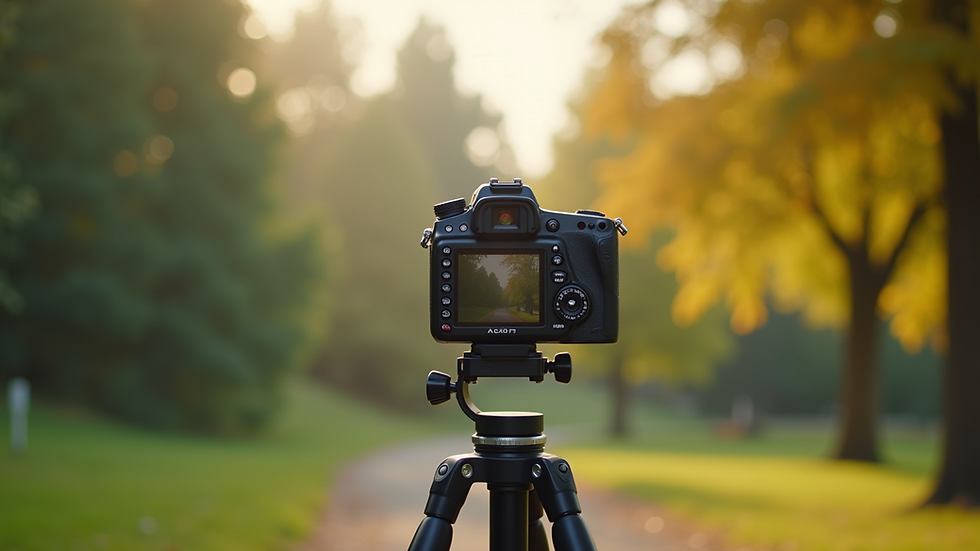
Investing in a good camera is crucial. While high-end cameras offer superior quality, many budget-friendly options can still produce stunning results. Consider:
DSLR or Mirrorless Cameras: These provide excellent image quality and versatility.
Smartphones: Modern smartphones have impressive cameras that can be used for high-quality video production.
Audio Equipment
Clear audio is just as important as high-quality visuals. Poor sound can ruin even the most beautifully shot video. Here are some audio tools to consider:
Lavalier Microphones: Great for interviews and dialogue.
Shotgun Microphones: Ideal for capturing sound from a distance.
Audio Recorders: For high-quality sound capture separate from the camera.
Lighting
Good lighting can transform your video. Here are some lighting tips:
Natural Light: Utilize natural light whenever possible. Shooting during the golden hour (early morning or late afternoon) can create beautiful, soft lighting.
Softbox Lights: These provide even lighting and reduce harsh shadows.
Reflectors: Use reflectors to bounce light and fill in shadows.
Filming Techniques
Once you have your plan and equipment ready, it’s time to start filming. Here are some techniques to enhance your shooting:
Composition
The way you frame your shots can make a significant difference. Consider these composition tips:
Rule of Thirds: Divide your frame into thirds both horizontally and vertically. Place your subject along these lines or at their intersections for a balanced composition.
Leading Lines: Use natural lines in your environment to draw the viewer’s eye towards your subject.
Depth: Create depth by including foreground elements. This adds dimension to your shots.
Camera Movement
Incorporating movement can add dynamism to your video. Here are some techniques:
Panning: Slowly move the camera horizontally to follow action or reveal a scene.
Tilting: Move the camera up or down to show vertical elements or transitions.
Tracking Shots: Move alongside your subject for a more immersive experience.
Editing Your Video
Editing is where your video truly comes to life. Here are some tips to enhance your editing process:
Choose the Right Software
Select editing software that fits your skill level and needs. Popular options include:
Adobe Premiere Pro: A professional-grade software with extensive features.
Final Cut Pro: Great for Mac users looking for powerful editing tools.
iMovie: A user-friendly option for beginners.
Editing Techniques
Here are some techniques to consider during the editing process:
Cutting for Pace: Keep your edits tight to maintain viewer engagement. Remove any unnecessary footage.
Color Grading: Adjust colors to create a specific mood or tone. This can significantly enhance the visual appeal.
Sound Design: Add background music and sound effects to enhance the emotional impact of your video.
Final Touches
Before you publish your video, consider these final touches:
Thumbnails and Titles
Create eye-catching thumbnails and titles that accurately represent your content. Here are some tips:
Use Bold Text: Make sure your title is easy to read, even in small sizes.
Include Imagery: Use a still from your video or a relevant image that captures attention.
Optimize for Platforms
Different platforms have different requirements. Ensure your video is optimized for each platform you plan to use:
Aspect Ratios: Adjust your video’s aspect ratio based on the platform (e.g., 16:9 for YouTube, 1:1 for Instagram).
Length: Tailor the length of your video to fit the platform’s audience expectations.
Conclusion
Creating stunning videos is a blend of planning, technical skills, and creativity. By understanding your audience, planning effectively, using the right equipment, and applying solid filming and editing techniques, you can produce videos that captivate and engage. Remember, practice makes perfect. Keep experimenting and refining your skills, and you’ll see improvement over time. Now, grab your camera and start creating!

Comments